Is Your Android Game Still on Google Play for New Players? A 60-Second Check
Your Android game still has players. New ones may no longer be able to install it. Four questions that tell you in a minute whether an older game is still visible on Google Play - and whether you can still ship an update.
 Krystian MlodziejewskiBusiness & Relations Director
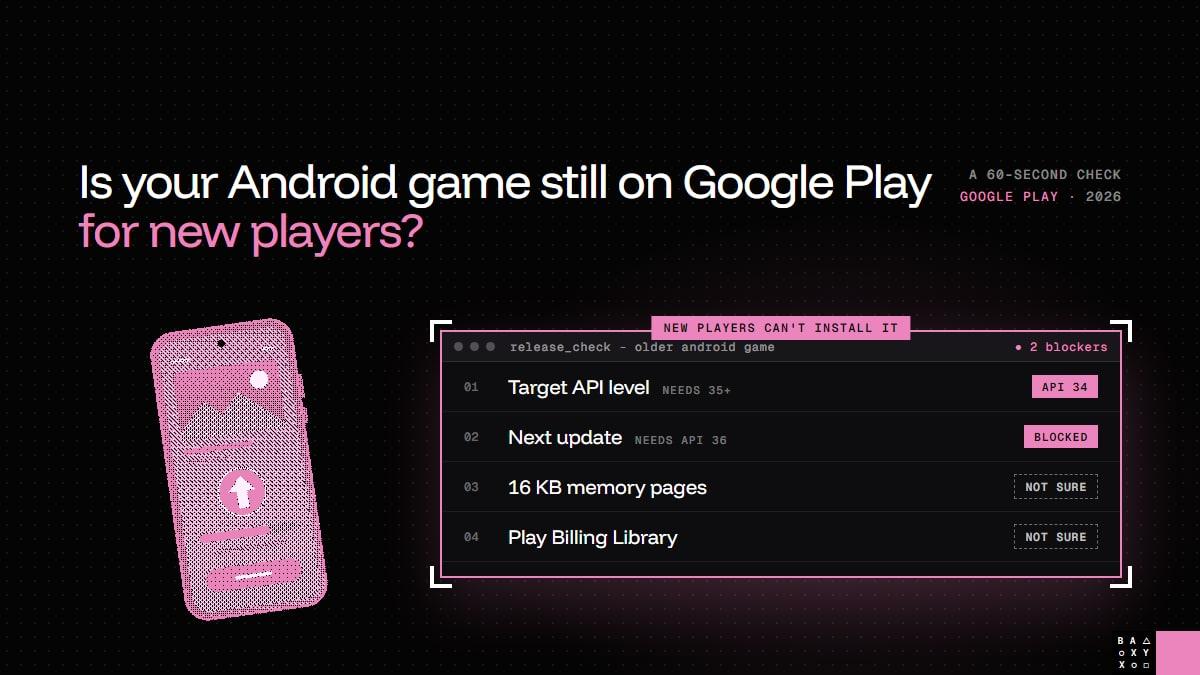
Your Android game still has players. New ones just can't install it.
If you publish older mobile games, this may sound familiar. The game is a few years old, it still earns, the reviews are fine - and new installs have quietly started to drop. Nothing in the game broke. The store rules changed.
So here is a quick check you can run on any older Android game in about a minute. Four questions. If you can answer all four with confidence, you're fine. If you can't, it's worth finding out before the next deadline does it for you.
What changed on August 31, 2026
Google Play raises its target API level requirement every year. This year's step matters for older games in two ways at once:
- Visibility for new players. Existing apps must target Android 15 (API level 35) or higher to stay available to new users on devices running a newer Android version than the app targets.
- Updates. Any new update must target API level 36.
The first rule is the one people notice in the numbers: nothing is removed, but new players on current phones simply can't find or install the game. The second rule is the one that bites when you try to react - because even a small fix now has to meet the current requirements.
The 60-second check
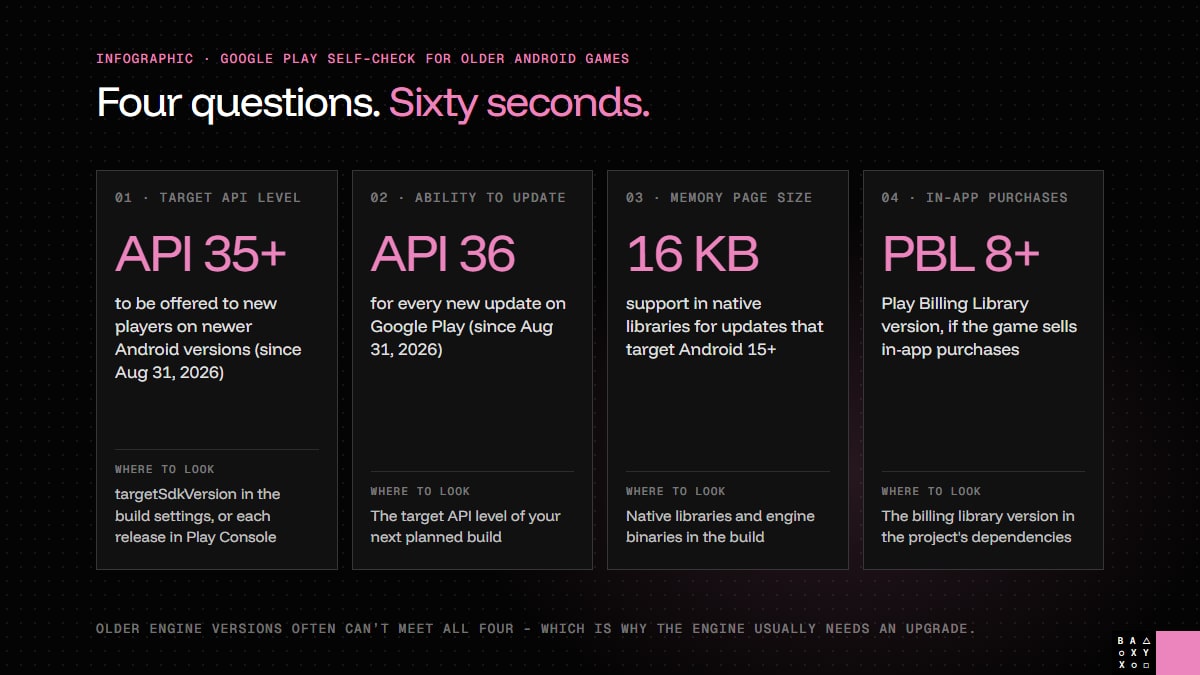
1. Which API level does your game target?
It's the targetSdkVersion in your Android build settings, and Google Play Console shows it for every release. A simple rule of thumb: if the last update shipped before September 2025, the game almost certainly targets API 34 or lower - which means new players on newer Android versions no longer see it.
2. Can you still ship an update?
Players who already have the game can usually keep playing. But a bug fix, a seasonal event or a price change now means a new build that targets API level 36 - and that build has to pass the two checks below as well.
3. Does your build support 16 KB memory pages?
Updates that target Android 15 or higher must support 16 KB memory page sizes. This doesn't live in your game code; it lives in the native libraries and engine binaries. If your engine version or plugins were built for the old 4 KB pages, they have to be rebuilt - or replaced.
4. Does the game sell in-app purchases?
If it does, an update needs Play Billing Library 8 or newer. Moving to the current library means testing every purchase and subscription end to end, not just recompiling.
Why it's rarely a one-line fix
If you answered "not sure" more than once, you're in good company. On paper, the fix looks like changing one number. In practice, the number is the easy part.
Older engine versions and plugins often can't produce a build that targets API 36, supports 16 KB pages and uses the current Play Billing all at once. Ads, analytics, login and notification SDKs may no longer build at all. That's why the real work is usually an engine upgrade:
- Often it's the same engine, just newer - for example a supported Unity or Unreal Engine release.
- Sometimes it's a migration. If the game was built on an engine or framework that is no longer maintained, it has to move to one that is. Every deprecated API along the way needs a replacement.
And because Android hardware varies so much, the refreshed build needs regression testing on real devices across Android versions, chipsets and screen sizes before anything reaches players.
Is it worth it?
A mobile game's audience usually declines slowly after launch. Missing a target API deadline turns that slow decline into a cliff for new installs. An engine upgrade resets the clock - and every update after it is a new chance to be featured, talked about and played.
That's how we approach it in Mobile LiveOps, in three steps:
- Compliance update - target API level, 16 KB page size support, Play Billing and Android behaviour changes, so Google Play shows and accepts the game again.
- Engine upgrade - a newer engine version, or a new engine, with current plugins and SDKs, so the next requirement isn't another emergency.
- New content and LiveOps - new levels, events, in-app purchases or a DLC on top of the refreshed build, which gives the update something to announce and players a reason to come back.
You can take one step or all three. Each is scoped with a flat fee and billed per milestone.
Not sure where your game stands?
Send us the store link. We check the target API level, engine version, plugins and billing, and come back with a scope, a timeline and a flat fee within 3 business days - free and with no commitment. Get a free estimate or read more about Mobile LiveOps.
Frequently Asked Questions
Why can't new players install my game on Google Play anymore?
Since August 31, 2026, existing apps must target Android 15 (API level 35) or higher to stay available to new users on devices running a newer Android version than the app targets. If your game targets an older API level, people who already installed it can usually keep playing, but new players on current phones can't install it.
How do I check which API level my game targets?
It is the targetSdkVersion in your Android build settings, and it is also shown for each release in Google Play Console. If your game's last update shipped before September 2025, it almost certainly targets API level 34 or lower.
What does a new update need on Google Play in 2026?
Since August 31, 2026, a new update must target API level 36, support 16 KB memory page sizes when it targets Android 15 or higher, and use Play Billing Library 8 or newer if it sells in-app purchases.
Isn't it enough to just change the target API level?
Rarely for an older game. Older engine versions and plugins often can't produce a build that meets all of the current requirements at once, which is why the engine usually needs an upgrade, along with updated SDKs and testing on real devices.
Do we have to change engines?
Not always. Often the right move is upgrading to a newer version of the engine the game already uses, such as a supported Unity or Unreal Engine release. If the game was built on an engine or framework that is no longer maintained, it has to be migrated to one that is.
How long does it take to find out what my game needs?
Send LYNXBYTE GAMES the game's store link. We check the target API level, engine version, plugins and billing, and share a scoped estimate with a timeline and a flat fee within 3 business days, free and with no commitment.