How Much Memory Does Your Game Really Get on Switch? Memory Budgets in Numbers
Your PC build uses 8 GB of RAM. On Switch, your game gets about 3.2 GB - for everything. What Switch and Switch 2 really leave for a game, where that budget goes, and how to plan for it before the first out-of-memory crash.
 Przemysław ChmuraBusiness Development Representative
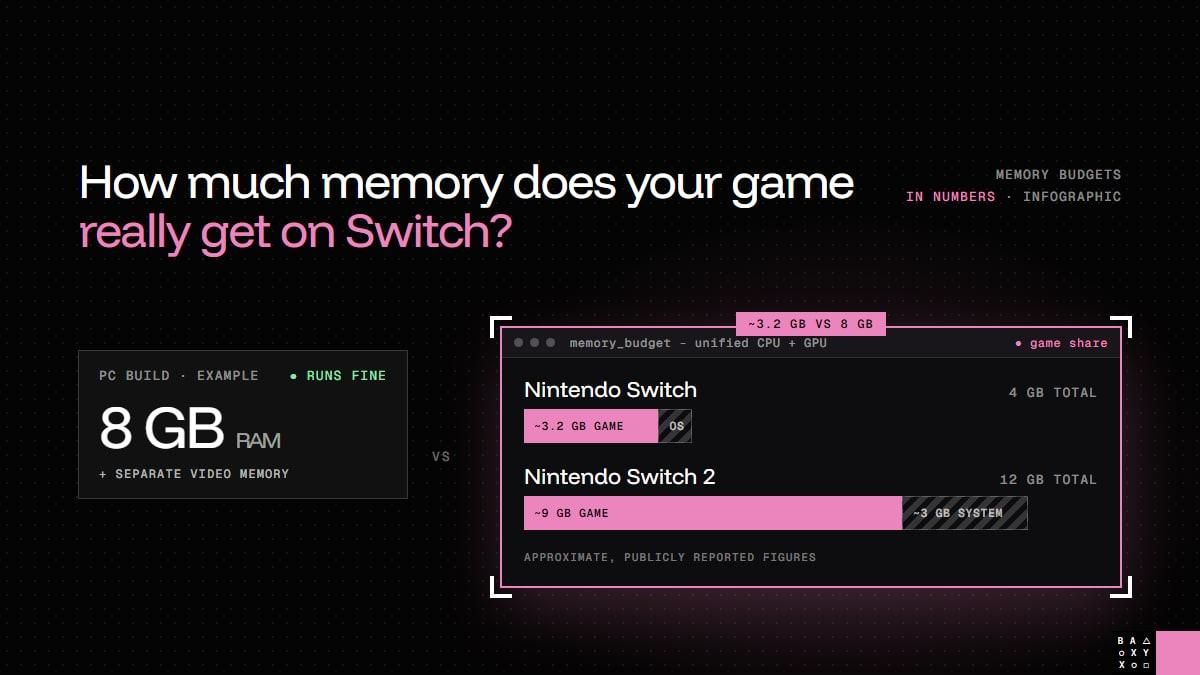
Your PC build uses 8 GB of RAM. Your Switch build gets... about 3.2.
When I talk to studios about bringing a game to Nintendo Switch, the conversation almost always gets to memory sooner or later. Not because Switch is a bad platform - it's one of the most successful consoles ever made - but because a PC build usually has far more room than people realise until they try to fit it somewhere smaller.
So here are the numbers, in one place: how much memory a game really gets on Switch and Switch 2, where it goes, and why it's worth planning before anyone writes a line of platform code.
The numbers
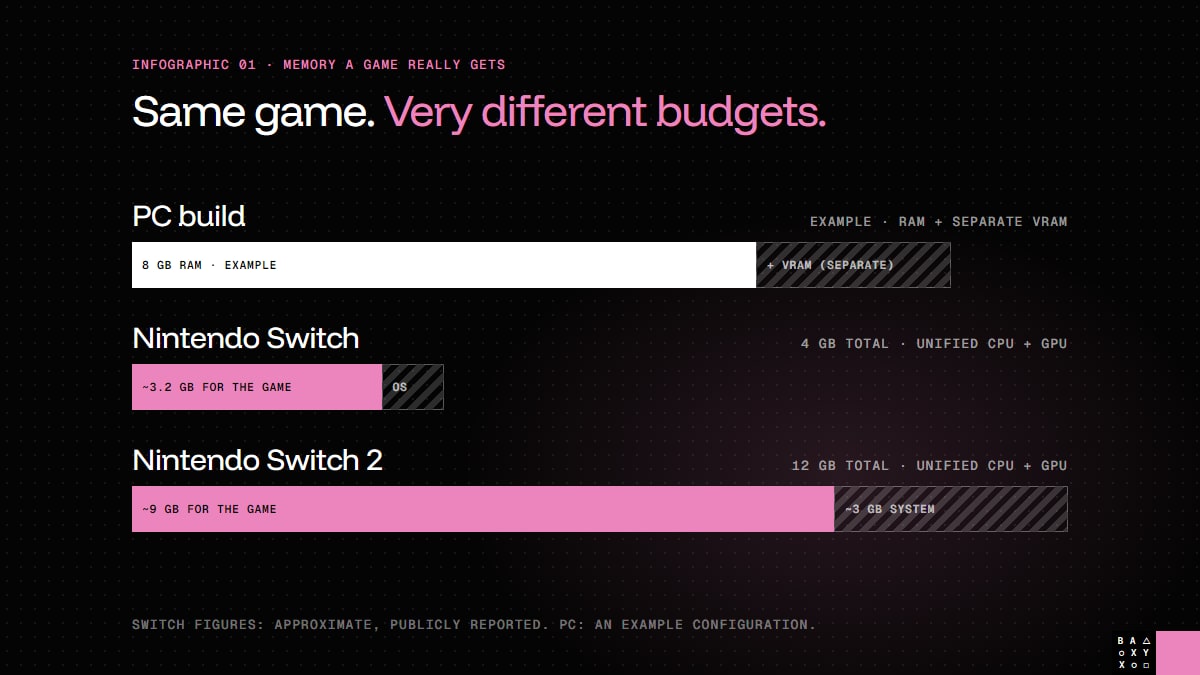
| Nintendo Switch | Nintendo Switch 2 | |
|---|---|---|
| Memory in total | 4 GB (LPDDR4) | 12 GB (LPDDR5X) |
| Available to the game | ~3.2 GB | ~9 GB |
| Kept by the system | ~0.8 GB | ~3 GB |
| CPU and GPU memory | One shared pool | One shared pool |
A quick note on where these numbers come from. The totals are the consoles' public specifications. How much of that a game can actually use is not something Nintendo publishes - the exact figures live in its developer documentation, which is under NDA. The values above are the widely reported approximations, and they're accurate enough to plan with. For the precise numbers on a real project, the platform documentation is the source of truth.
Why 8 GB on PC doesn't mean 8 GB on Switch
The comparison in the first line is a little unfair to Switch - and that's exactly the point.
On a typical gaming PC, the game's RAM is only part of the picture. Most of the graphics data - textures, render targets, a lot of the geometry - sits in separate video memory on the graphics card. So "8 GB of RAM" on PC often means 8 GB plus another few gigabytes of VRAM.
Switch and Switch 2 have unified memory: one pool shared by the CPU and the GPU. Everything the game needs lives in the same memory budget: the textures your artists made, the meshes and animations, the audio, the engine and your code, gameplay data, UI - and the headroom needed to stream new content in while the player moves through the world.
That's why memory is one of the first walls a PC build hits on Switch.
Where the budget goes
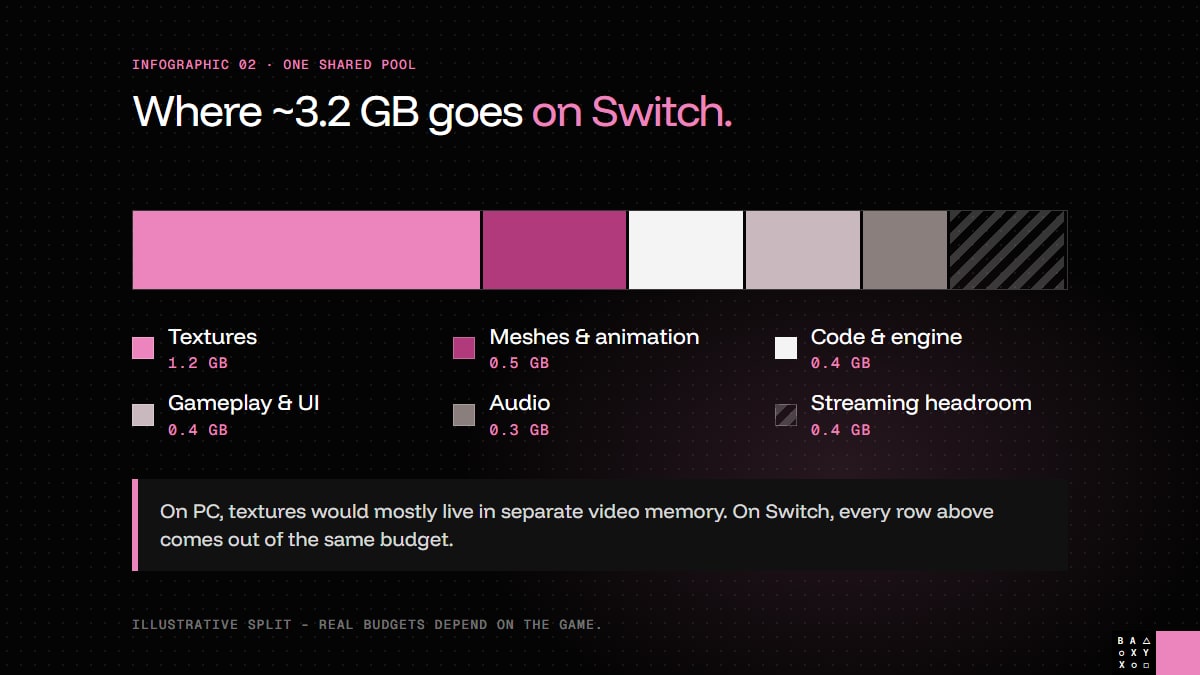
Every game splits its budget differently, so take this as an illustration rather than a template. For a typical 3D game on Switch, a split might look like this:
| Category | Example budget | What's in it |
|---|---|---|
| Textures | ~1.2 GB | Everything the GPU samples: materials, UI atlases, lightmaps |
| Meshes & animation | ~0.5 GB | Geometry, levels of detail, skeletons and animation clips |
| Code & engine | ~0.4 GB | The executable, engine systems, middleware, allocator overhead |
| Gameplay & UI | ~0.4 GB | World state, AI, physics, scripts, UI and save data in memory |
| Audio | ~0.3 GB | Loaded sound banks; music and dialogue are usually streamed |
| Streaming headroom | ~0.4 GB | Space to load what's coming next without unloading what's on screen |
Textures are usually the biggest single slice, which is why they're usually where a port finds the most memory. But the line people forget is the last one. A budget that adds up to exactly 3.2 GB on paper will crash the first time the game streams in a new area while the old one is still loaded.
What happens when it doesn't fit
Running out of memory rarely looks like "out of memory" at first. More often it shows up as:
- Crashes in specific places - a boss arena, a busy town, the moment two systems peak at once.
- Textures that load late or stay blurry, because the streaming system has no room to work.
- Long loading screens, because the game has to unload before it can load.
- Crashes after a long session, caused by a memory leak or memory fragmentation: there's enough free memory in total, but not in one piece.
None of these shows up in a quick test of the first level. They show up hours in, in the heaviest parts of the game.
How we fit a game into the budget
Most of this is about doing the boring things early:
- Set the budget on day one. Split the available memory into categories before the port starts, and give every category an owner.
- Measure peaks, not averages. What matters is the worst moment of the game, not a quiet corridor - so we profile the heaviest scenes on real hardware.
- Compress and resize textures for the target. Platform texture formats and sensible resolutions for the screen the game is actually played on save more memory than anything else.
- Stream instead of preloading. Texture streaming, streamed music and dialogue, and well-tuned levels of detail keep only what's needed in memory.
- Watch the long session. Leaks and fragmentation only appear over time, so long play sessions are part of testing.
- Gate every milestone. On our projects each milestone has a performance gate: if the build doesn't hit its target frame rate and memory on the platform, it doesn't move on.
Planning the budget early is what turns memory from a crisis late in the project into an ordinary engineering task.
Switch 2: more room, same discipline
Switch 2 gives a game almost three times as much memory as the original Switch. That makes a lot of ports far more comfortable - and it's one of the reasons the platform is attracting so many games that already shipped elsewhere.
The catch: games grow to fill the space. Higher-resolution textures for docked play, more detailed assets and bigger worlds quickly use the extra room. And docked and handheld play use the same pool of memory, so the budget has to work in both modes. More room doesn't remove the need for a budget; it just moves where the wall is.
If you're planning to support both consoles, it's worth designing for the original Switch's limits and scaling up for Switch 2, rather than the other way round. I wrote more about how big custom-engine games approached Switch hardware in REDengine, Chrome Engine, Snowdrop.
What eats most of your memory budget?
Every team I talk to has a different answer - textures, a physics system that grew too big, a sound bank nobody ever unloaded. I'd love to hear yours.
And if you're planning a Switch or Switch 2 version of your game, get a free estimate - memory is one of the first things we look at. You'll find more about the platforms on our Nintendo Switch and Nintendo Switch 2 pages.
Frequently Asked Questions
How much RAM does Nintendo Switch have for games?
Nintendo Switch has 4 GB of memory in total. A game gets roughly 3.2 GB of it, while the rest is reserved by the system. The exact figure is in Nintendo's developer documentation, which is under NDA; 3.2 GB is the widely reported approximation.
How much memory does Nintendo Switch 2 give games?
Nintendo Switch 2 has 12 GB of memory, of which about 9 GB is available to games and around 3 GB is kept by the system, according to publicly reported figures.
Why does a PC game need less memory on paper than it uses in practice?
On a typical PC, much of the graphics data sits in separate video memory on the graphics card, on top of system RAM. Switch and Switch 2 share one pool of memory between the CPU and GPU, so everything - textures included - has to fit in the same budget.
What usually uses the most memory in a game?
Textures are usually the largest share, followed by meshes and animation, the engine and code, gameplay data, audio and the headroom needed for streaming. The exact split depends on the game.
How do you reduce memory use when porting to Switch?
Set a memory budget per category from the start, profile the heaviest scenes on real hardware, compress and resize textures for the target platform, stream textures and audio instead of preloading them, use levels of detail, and test long sessions for leaks and fragmentation.
Is memory still a problem on Switch 2?
Less than on the original Switch, since Switch 2 offers about three times as much memory for games. But games tend to grow to fill the extra space, and docked and handheld play share the same memory, so a budget is still essential.